Opt-In List Manager: Make Sample
 Sometimes you may need to see a sample of the contents of the big e-mail
list file. Make Sample tool will provide you with this
ability.
Sometimes you may need to see a sample of the contents of the big e-mail
list file. Make Sample tool will provide you with this
ability.
There are three sampling modes:
- Select every Nth address, starting at specified address. Specify how many addresses from the input list will be taken. Also you can specify the address or number of line from which OILM should start.
- Select a random sample of N addresses. Here you must specify how many random addresses from the input list will be taken.
- Pick a consecutive block of N addresses, starting at specified address. Specify how many addresses from the input list will be taken. Also you can specify the address or number of line from which OILM should start.
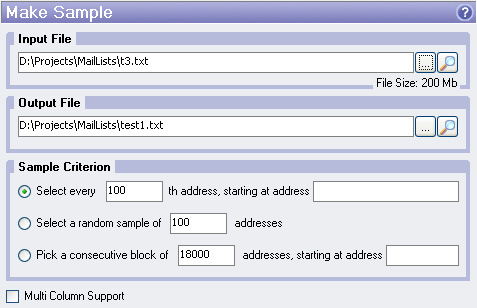
Input File
Input file for which you want to make the sample.
Output File
Output sample file.
Multi Column Support
This option allows you to process multicolumn e-mail lists. See What is Multi Column Support for details.